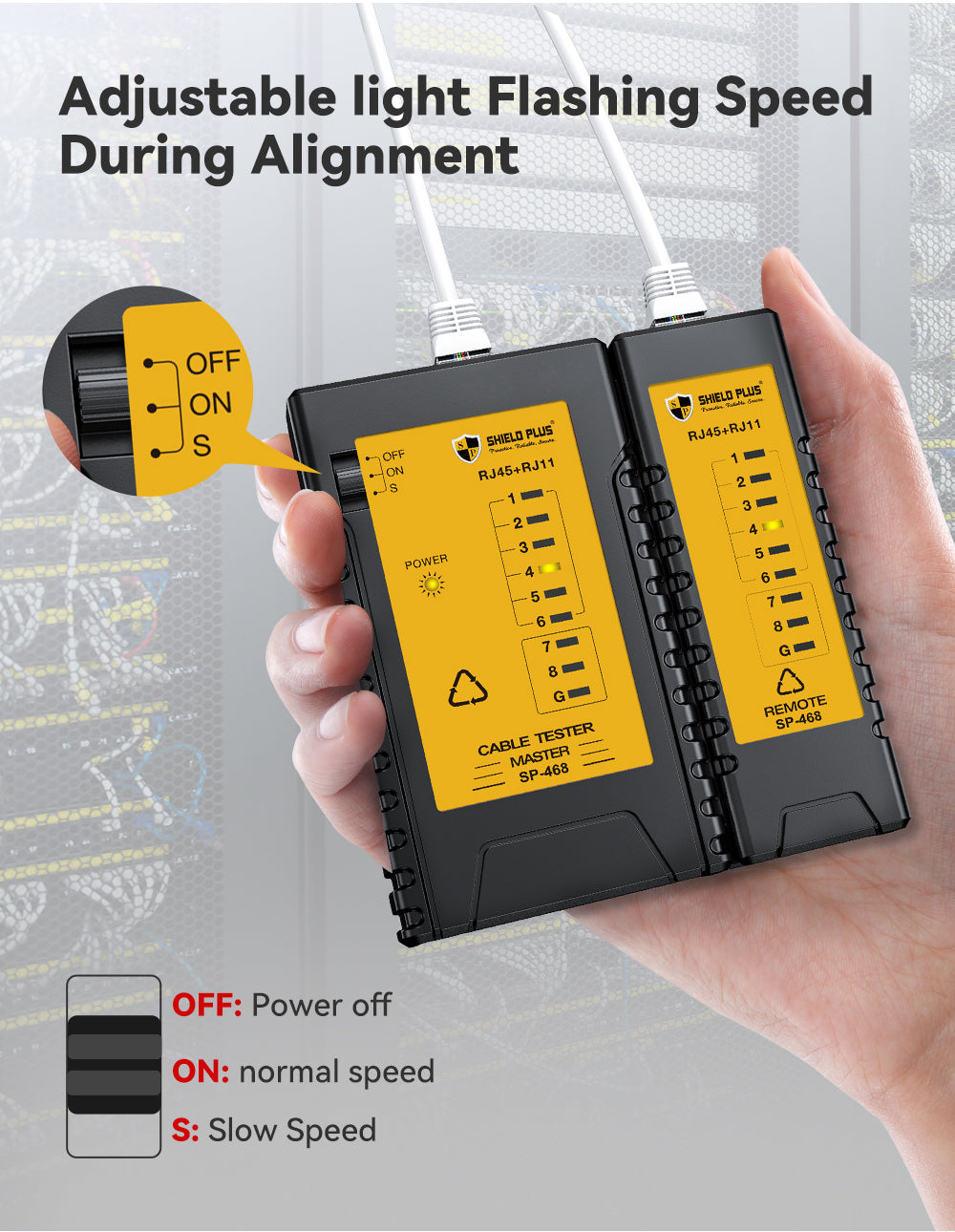
The SP-468 Cable Continuity Tester provides essential testing functions for RJ11 and RJ45 cables with clear LED indicators and multiple test modes. Designed with a separable transmitter and receiver, it supports double-twisted cable testing for wires 1–8 and Ground, with burnout-proof voltage endurance up to DC 60V. Equipped with CE/ROHS/REACH certifications, this model includes slow and fast test switches and supports long-distance testing with a detachable remote unit.
Specification
Details
Model
SP-468
Wire Continuity Testing
Automatically runs all tests and checks for continuity, open, shorted and crossed wire pairs
Cable Testing
Separable transmitter and receiver to test correspondingly double-twisted cables 1, 2, 3, 4, 5, 6, 7, 8 and Ground
Cable Type
RJ11 Telephone cable and RJ45 LAN cable
Withstand Voltage
Endurable and prevent of burnout (DC 60V)
LED
9 LEDs status display which wire is faulty on both emitter and remote
Model Features
Slow and fast test switch
Certificates
CE/ROHS/REACH Certificates approved
Compatible Connectors
RJ45 (Ethernet), RJ11 (Telephone), RJ12
Functions
Tests continuity, wiring faults, and pin-to-pin connection; Detects open circuits, shorts, miswires, and crossed pairs; Identifies cable integrity and correct sequencing
Indicators
LED display for each individual wire (1–8 and G)
Modes
Normal Mode; Slow Mode (S) – for detailed step-by-step checking
Power Supply
9V battery (not included)
Power Switch
ON / OFF / S (slow) modes
Remote Unit
Detachable remote for long cable testing (up to 300 meters)